Publishing & analytics
Social Media Manager
Manage publishing, messages and analytics in one workspace.
Social Desk supports teams that publish to Facebook Pages and Instagram professional accounts, handle WhatsApp Business messages and review Google Analytics 4 reports.
View screenshots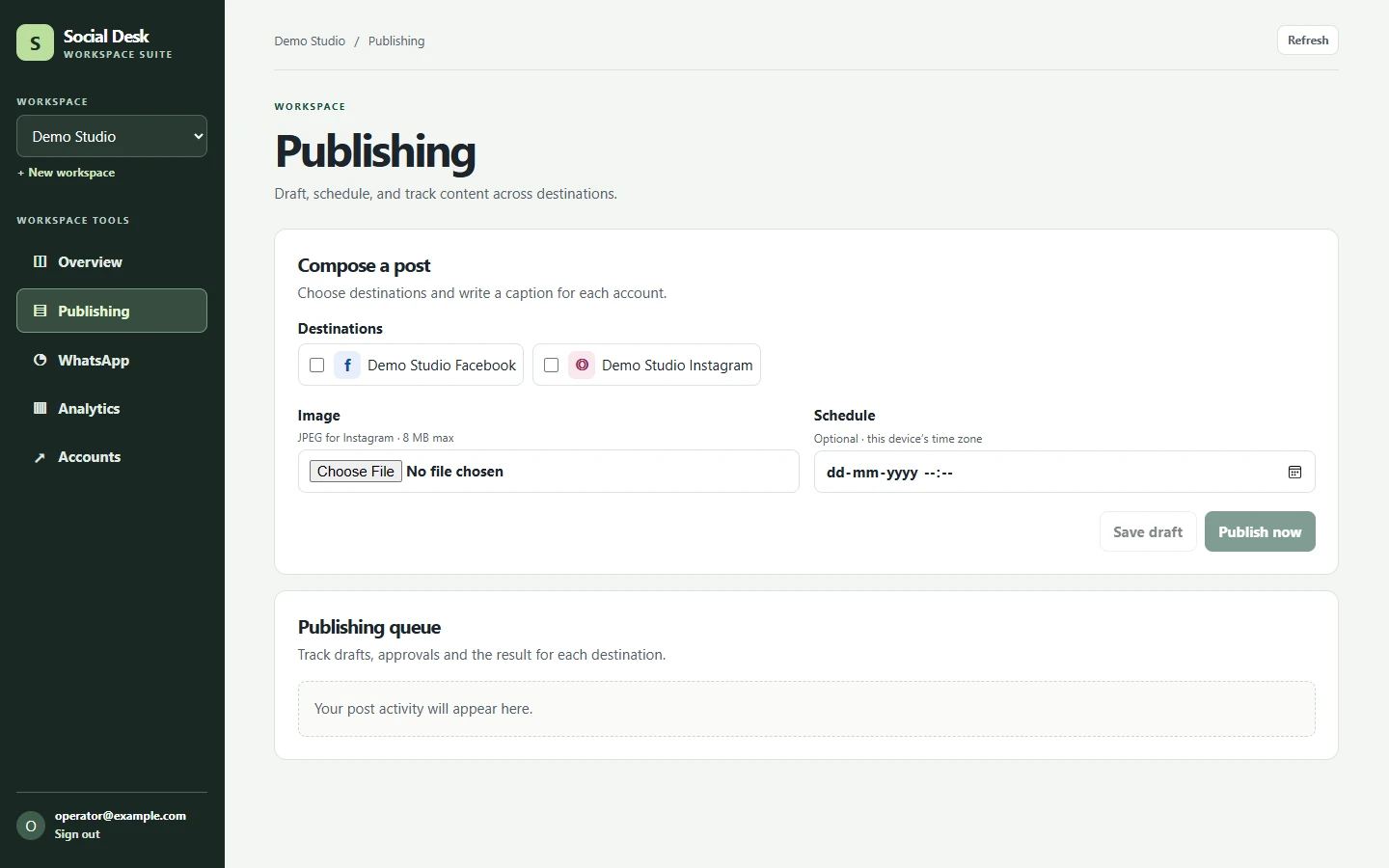
Project case study
The brief
When a business uses separate tools for social posts, business messages and website reporting, it can be hard to tell who owns an account or what happened to a scheduled post. Social Desk organises these tasks around a workspace so a business owner and an assigned operator can work with the same accounts and see their respective responsibilities.
Accounts, access and approvals
A workspace owner connects provider accounts and can grant an operator access to selected destinations. That supports both a business running its own channels and a business delegating publishing to a service team. An operator can prepare a draft for a selected account. Where approval is required, the workflow ties it to the caption, media and destination being reviewed.
The publishing screenshot shows a demo workspace with sample Facebook and Instagram destinations. An operator can choose destinations, upload an image, tailor captions and publish immediately or schedule the post. Delivery is tracked per destination so a Facebook result and an Instagram result can be reviewed independently.
Messaging and analytics
The WhatsApp Business workflow covers approved message templates, recipient consent and conversation replies. The workspace makes a distinction between the provider accepting a send and the message actually being delivered. Eligible replies can include text and images, subject to the provider's conversation rules.
The Google Analytics 4 connection uses read-only reporting access. A user selects an authorised property and date range to review website traffic, acquisition and key events. This lets a team inspect website activity in the same workspace where it plans and tracks social publishing.
How it is built
The application uses a Next.js frontend and NestJS API. The API handles workspace permissions, provider connections and publishing activity. Drafts and destination-level deliveries are tracked separately so the queue can show approval, scheduling and delivery outcomes. Availability of connected features depends on provider permissions and account setup.
More screenshots